
Beaver Builder Review: Features, Pricing, and Who It’s For


Free download: Guide to Beaver Builder (PDF)
by Geekett
Research review
This review is based on official docs and credited reviews and wasn’t tested hands-on.
Affiliate disclosure: WpDesignerMag may earn a commission if you buy through links in this article, at no extra cost to you. This doesn’t change the price you pay.
The featured video below is by a third-party creator who received early access from Beaver Builder. His video description contains his own affiliate links, including one for Beaver Builder. WpDesignerMag has no connection to those links. WpDesignerMag has not tested Beaver Builder hands-on for this article.
This review is based on Beaver Builder’s official pricing, product, AI and terms pages, plus the official changelog and docs. It also uses the WordPress.org listing for Beaver Builder Lite and the credited videos, tutorials, webinars and podcasts below. Linked third-party content may carry its creators’ own affiliate links, which have no connection to WpDesignerMag.
Beaver Builder is a drag-and-drop page builder for WordPress. It’s aimed at freelancers, agencies and site owners who want to design pages visually.
This Beaver Builder review covers plugin version 2.11.1.2, based on official documentation and credited reviews. The clearest strength is the bundle: every paid plan includes the theme builder and theme. The main trade-off is that AI starts at the $179 Plus plan, and billing is yearly only.
Prefer to read offline? Download the free PDF, Guide to Beaver Builder: Free Download, a short beginner’s guide to picking a plan and getting started.
How to read this review. We keep four kinds of information apart:
- Official: facts from Beaver Builder’s own pages, checked on October 11, 2026.
- Creator’s narration: what Jonathan Perez says he is doing on screen. We could not check the video frames, so treat this as his description, not a verified demo.
- Creator’s view: opinions from Jonathan Perez or Megan Weeks, paraphrased and credited.
- Our take: WpDesignerMag’s editorial explanation.
Beaver Builder review: features and fit
This Beaver Builder review looks at the paid plans of the Beaver Builder page builder for WordPress. The current official plugin version is 2.11.1.2, released October 8, 2026. We checked all facts against Beaver Builder’s official website on October 11, 2026. WpDesignerMag did not test it hands-on.
Official: You edit pages on the front end of your site and see changes live. A free version, Beaver Builder Lite, is on WordPress.org. The paid plans add premium modules, templates, the Beaver Themer theme builder and the Beaver Builder Theme.
There are four yearly plans: Starter, Plus, Professional and Unlimited. They differ mainly by number of sites, plus a few extras: AI, multisite, white labeling and cloud storage.
Our take: For most readers, the choice is simple. Count your live sites first, then decide whether you want the built-in AI. AI is not in Starter.
| Product | Beaver Builder (paid plans) |
| Vendor | Beaver Builder, operated by FastLine Media LLC (per the terms page) |
| Category | WordPress page builder |
| Current versions (official changelog) | Plugin 2.11.1.2 (Oct 8, 2026); Beaver Themer 1.6.1 (Sep 23, 2026); Lite 2.11.0.6 (Sep 25, 2026). Beaver Builder Theme 1.7.20 (Aug 19, 2026) |
| Plans (official) | Starter (1 site), Plus (3 sites), Professional (50 sites), Unlimited (unlimited sites) |
| Price range (official, USD, billed yearly) | $89 to $546 per year |
| Money-back guarantee (official) | 30 days from the first purchase |
| Requirements (official docs) | WordPress 6.8 or later, WordPress REST API on, 128 MB memory (256 MB preferred). PHP follows WordPress’s own requirements; the Lite listing says PHP 7.4 or later |
| Facts checked | October 11, 2026 |
| Review type | Research review. Not tested hands-on. |
| WpDesignerMag Section | NOT PROVIDED |
Feature highlights
All of the following is official, from Beaver Builder’s pricing, product and changelog pages.
- Front-end drag-and-drop editor (all plans): You build pages on the live page, not in a separate preview. Includes inline text editing, an outline panel, keyboard shortcuts and light or dark mode.
- Premium modules and templates (all paid plans): Beaver Builder lists pricing tables, forms, galleries, icon groups and slideshows “and more”, plus pre-built page templates.
- Beaver Themer (all paid plans): A theme builder. Design headers, footers, post templates, archive pages, search results and 404 pages once, and apply them site-wide. It also restyles WooCommerce Shop, Cart, Checkout and My Account pages. It does not run on the free Lite version.
- Beaver Builder Theme (all paid plans): A lightweight theme. You set colors, fonts, header and footer in the WordPress Customizer.
- Loop Builder, dynamic content and conditional logic (all paid plans): Pull in post data and custom fields, and show or hide content based on rules. Themer connects fields from ACF, Pods and Meta Box.
- Responsive design tools (all paid plans): Edit for desktop, tablet and mobile, set custom breakpoints, hide items per device and reverse column stacking.
- Popup Module (new in 2.11, July 7, 2026): A container module for popups, flyouts and interstitials. It comes with 9 pre-built templates and keyboard accessibility features. The official pages don’t say whether it’s in Lite or paid plans only.
- Beaver Builder AI (Plus and above only): Creates editable pages and sections from a chat inside WordPress. Beaver Builder AI reached its first stable release (1.0) on Sep 1, 2026, according to the official changelog. The AI product page still calls it a release candidate. The current AI version is 1.0.3 (Oct 6, 2026). Official FAQ: the built-in chat creates editable custom modules. Native rows, columns and modules come through an MCP connection to an outside AI tool. AI usage limits or credits per plan aren’t published.
- Agency extras: Multisite on Professional and Unlimited. White labeling, Assistant Pro cloud storage (6 months free), advanced courses and priority support on Unlimited only.
- Developer features (all paid plans): Custom CSS and JavaScript per page or site-wide, custom modules, ACF Blocks for ACF Pro users and user access controls by role.
Official, from the changelog: Version 2.11.1.1 (September 30, 2026) fixed two security issues. Lite 2.11.0.6 got the same fixes. Keep the plugin updated.
Free vs Paid features
Official, from the WordPress.org Lite listing and the pricing page, checked October 11, 2026. Plan names and limits change, so confirm them before you buy.
| Feature | Free (Lite) | Starter | Plus | Professional | Unlimited |
|---|---|---|---|---|---|
| Drag-and-drop front-end editor | ✓ | ✓ | ✓ | ✓ | ✓ |
| Basic modules (Box, Photo, Button, Heading, Text, Video and more) | ✓ | ✓ | ✓ | ✓ | ✓ |
| Premium modules (forms, tabs, sliders, pricing tables, posts and more) | ✗ | ✓ | ✓ | ✓ | ✓ |
| Pre-built templates | ✗ | ✓ | ✓ | ✓ | ✓ |
| Beaver Themer (theme builder) | ✗ | ✓ | ✓ | ✓ | ✓ |
| Beaver Builder Theme | ✗ | ✓ | ✓ | ✓ | ✓ |
| Save and reuse layouts, global styles and colors | ✗ | ✓ | ✓ | ✓ | ✓ |
| Beaver Builder AI | ✗ | ✗ | ✓ | ✓ | ✓ |
| WordPress multisite | ✗ | ✗ | ✗ | ✓ | ✓ |
| White labeling and Assistant Pro | ✗ | ✗ | ✗ | ✗ | ✓ |
| Support | Limited, WordPress.org forums | Priority email | |||
| Live sites | Not applicable | 1 | 3 | 50 | Unlimited |
How the features help
Our take, based on official information: Results still depend on your design, content and audience.
- Consistent site design: Themer templates keep headers, footers and post layouts the same across the site. Change one template and every matching page updates.
- Lead generation: Premium form modules and the new Popup Module give you places to collect sign-ups.
- Copy and content: Dynamic content and the Loop Builder fill templates with your posts and custom fields. That suits blogs, directories and portfolios.
- Online stores: Themer can restyle WooCommerce shop, cart, checkout and account pages.
- Design with AI (Plus and above): The AI can draft a page or section from a prompt. You still need to edit the copy and design yourself.
Featured review video
Don’t Sleep on @BeaverBuilderWP – Their New AI Feature Changes the Game, by Jonathan Perez (YouTube: @JonPerez1322). Published June 16, 2026. Length: 19:58.
What this video is (our take): This is a first look at Beaver Builder AI, not a full product review. We use it for this AI workflow section only. Jonathan says Beaver Builder gave him early access, and his description has an affiliate link for Beaver Builder.
He calls the build he used “alpha”. Version 2.11 shipped on July 7, 2026, after his upload. Beaver Builder AI reached its first stable release (1.0) on Sep 1, 2026, according to the official changelog. The AI product page still calls it a release candidate. So the screens you see may differ from today’s product.
Why it’s worth watching (our take): It shows the AI workflow from prompt to edited page, step by step. Jonathan is a returning user, which gives a useful “what changed” view.
Creator’s narration (not frame-checked): Approximate times come from YouTube’s auto-captions and the creator’s chapters.
- ~2:03: He opens the AI area: built-in chat, MCP connection and design kits. He says his account had 1,500 testing credits. Credit amounts aren’t on the official pages.
- ~2:43: He looks at design systems (colors, fonts) and design kits.
- ~3:45 to 6:07: He asks the AI chat for a coffee club homepage. The AI asks him about colors and tone, then proposes sections.
- ~10:34: He reviews the generated one-page site with hover animations.
- ~12:57 to 13:38: He changes the color scheme with a design kit.
- ~13:58 to 15:18: He redesigns only the hero section with a prompt.
- ~15:38 to 18:23: He hand-edits content with the normal builder tools.
Jonathan’s view (paraphrased):
- He likes that the AI sits inside the builder and that the result stays editable.
- He likes being able to connect his own AI tool by MCP instead of paying for a separate AI plan.
- He finds the builder easy to pick up if you’ve used any page builder.
- He left Beaver Builder years ago over separate add-on prices and says everything is now bundled.
- His criticisms: the AI’s copy is generic and needs rewriting, he couldn’t work out how to change text through the AI, and the layout “bugged out” at one point.
Where the video differs from official information. In each case, this article uses the official information.
- Native vs custom modules: Jonathan says the AI builds with the page builder’s own building blocks. Officially, the built-in chat creates editable custom modules. Native rows, columns and modules come through the MCP connection.
- Which plans get AI: He suggests the AI comes with a license. Officially, AI is included with Plus, Professional and Unlimited only, not Starter ($89).
- Release status: He shows an “alpha”. The official changelog lists AI 1.0 as the first stable release (Sep 1, 2026), and 1.0.3 is current (Oct 6, 2026). The AI product page still calls it a release candidate.
- Credits: His “1,500 testing credits” isn’t confirmed on any official page.
- Bundling: He says everything is bundled. That’s partly right: Themer and the theme come with every plan, but AI, multisite, white labeling and Assistant Pro are still tied to higher plans.
For an overall view: Megan Weeks compares five builders for designers, with a Beaver Builder segment from about 11:24 to 14:00. Her pricing matches today’s official prices. She says she has been “reading a lot about it”, so treat her segment as research-based too. Her video predates Beaver Builder AI. Her description says she earns commission on some links.

The Best WordPress Page Builders for Designers in 2026 (A Real Comparison) by Megan Weeks (Jan 2026, 20:39).
Best for / May not suit
Best for (our take, from the official feature list):
- Freelancers and agencies building client sites. Professional covers 50 sites, and Unlimited adds white labeling.
- Site owners who want one paid bundle: builder, theme builder and theme are in every plan.
- Blogs, directories and portfolios that use dynamic content, custom fields and loops.
- WooCommerce stores that want custom shop, cart and checkout layouts through Themer.
- Designers curious about AI drafting, on Plus or above.
- Anyone who wants to try before buying: there’s a free Lite version and an official live demo.
May not suit (our take):
- People who want to pay monthly. Plans are billed yearly only.
- Buyers who want AI on the cheapest plan. Starter has no AI.
- Very simple sites. The free Lite version, or the WordPress block editor, may be enough.
- People who need phone support. The terms say support is by ticket and there’s no phone support.
Pros and cons
| Pros | Cons |
|---|---|
| Official: Every paid plan includes Beaver Themer and the Beaver Builder Theme. | Official: Yearly billing only, no monthly option. |
| Official: A free Lite version and a live demo let you try it first. | Official: Beaver Builder AI is not in Starter. |
| Official: Staging and development sites don’t count toward your site limit. | Official: AI usage limits per plan aren’t published. |
| Official: 30-day money-back guarantee on the first purchase. | Official: The terms conflict on refunds for auto-renewals. Ask before you renew. |
| Official: Active development, with 2.11 in July 2026 and fixes through October 2026. | Official: White labeling, cloud storage and priority support are Unlimited-only. |
| Jonathan Perez’s view: The AI’s output stays editable inside the builder. | Jonathan Perez’s view: AI copy is generic and the alpha had glitches. |
| Not covered by our sources: Page speed. We have no independent performance measurements. |
Quick summary: Pros are the all-in-one bundle, a free version to try, unlimited staging sites, a 30-day guarantee and active development. Trade-offs are yearly-only billing, no AI on Starter, unpublished AI limits and some features locked to Unlimited.
Performance and ease of use
WpDesignerMag did not test Beaver Builder hands-on. This section reports only documented facts and credited creator views.
- Installation (official): Download the plugin zip and license key from your Beaver Builder account. In WordPress, go to Plugins > Add New > Upload plugin.
- Requirements (official): WordPress 6.8 or later, the REST API turned on, and at least 128 MB of memory (256 MB preferred). Your server must allow the editor to load in a frame (X-Frame-Options SAMEORIGIN).
- Setup time: Not tested.
- Learning curve: Not tested. Jonathan Perez’s view: easy to pick up if you’ve used another page builder. Official: every plan includes an online course library.
- Documentation (official): A public knowledge base at docs.wpbeaverbuilder.com and a detailed changelog. We did not judge the depth of the docs.
- Support (official): Email support on all paid plans, priority email on Unlimited. The terms say support is by ticket, with no phone support. Lite users get “very limited” forum support. Support hours and response times aren’t published on the pages we checked.
- Performance: Not tested. Beaver Builder says it only loads the files a layout needs, but that’s a vendor claim we haven’t measured.
Pricing quick glance
Official, from Beaver Builder’s pricing page, checked October 11, 2026. Prices are in USD per year. No sale or promotion was shown that day.
- Free: Beaver Builder Lite on WordPress.org.
- Starter: $89 per year, 1 site. No AI.
- Plus: $179 per year, 3 sites. The lowest plan with Beaver Builder AI.
- Professional: $299 per year, 50 sites. Adds multisite.
- Unlimited: $546 per year, unlimited sites. Adds white labeling, priority support, advanced courses and Assistant Pro (6 months free).
| Plan | Sites | Price (USD per year) | AI | Multisite | White label |
|---|---|---|---|---|---|
| Starter | 1 | $89 | ✗ | ✗ | ✗ |
| Plus | 3 | $179 | ✓ | ✗ | ✗ |
| Professional | 50 | $299 | ✓ | ✓ | ✗ |
| Unlimited | Unlimited | $546 | ✓ | ✓ | ✓ |
- Renewal (official): Plans renew automatically each year “at the standard annual price”. You can turn off auto-renewal in your account.
- If you stop paying (official): The plugin keeps working, but updates, downloads and support stop.
- Upgrades (official): Prorated, so you pay only the difference.
- Discounts (official): 10% off the first purchase for qualifying nonprofits, students and teachers. Not for renewals.
- Refunds (official): 30 days from the first purchase.
- Prices outside the US, and tax: check at checkout.
Prices are shown as checked on October 11, 2026, in USD. Confirm current terms before purchase.
Affiliate link. WpDesignerMag may earn a commission at no extra cost to you.
Build Along Resources
These step-by-step resources come from the learning content research. Four are made by Beaver Builder (the vendor). The ACF guide is by another plugin company.
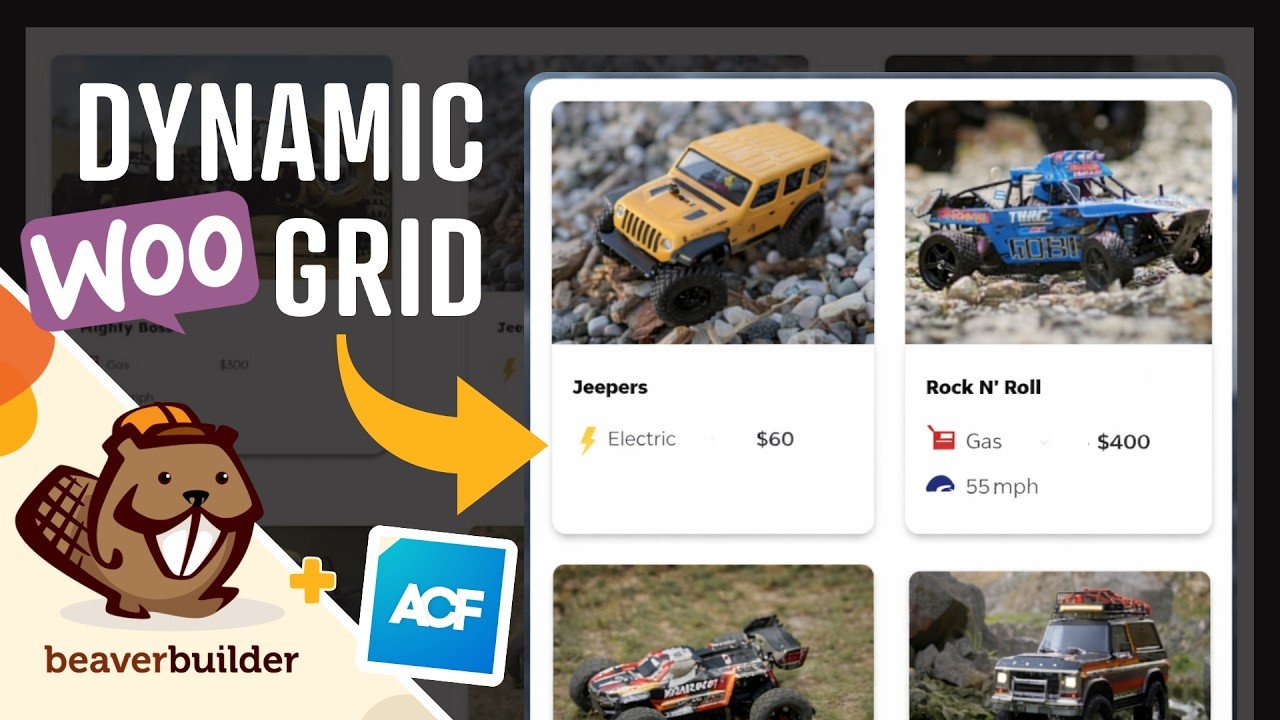
Beaver Builder Loop Module Tutorial: Dynamic WooCommerce Product Grid with ACF by Beaver Builder (Mar 2026, about 18 minutes). Made by the vendor. Uses the Loop module from Themer, included in all paid plans; not in the free Lite version. The ACF fields may need ACF PRO.
– 
Beaver Builder Components: Beginner to Advanced by Beaver Builder (Feb 2026, 12 minutes). Made by the vendor. Plan tier: not stated. The official Components article says they arrived in 2.10 but doesn’t name a plan.
– 
What are Beaver Builder Components? Stop Rebuilding Layouts! (Start Here) by Beaver Builder (Feb 2026, about 3 minutes). A short intro. Made by the vendor. Plan tier: not stated. The official Components article says they arrived in 2.10 but doesn’t name a plan.
– 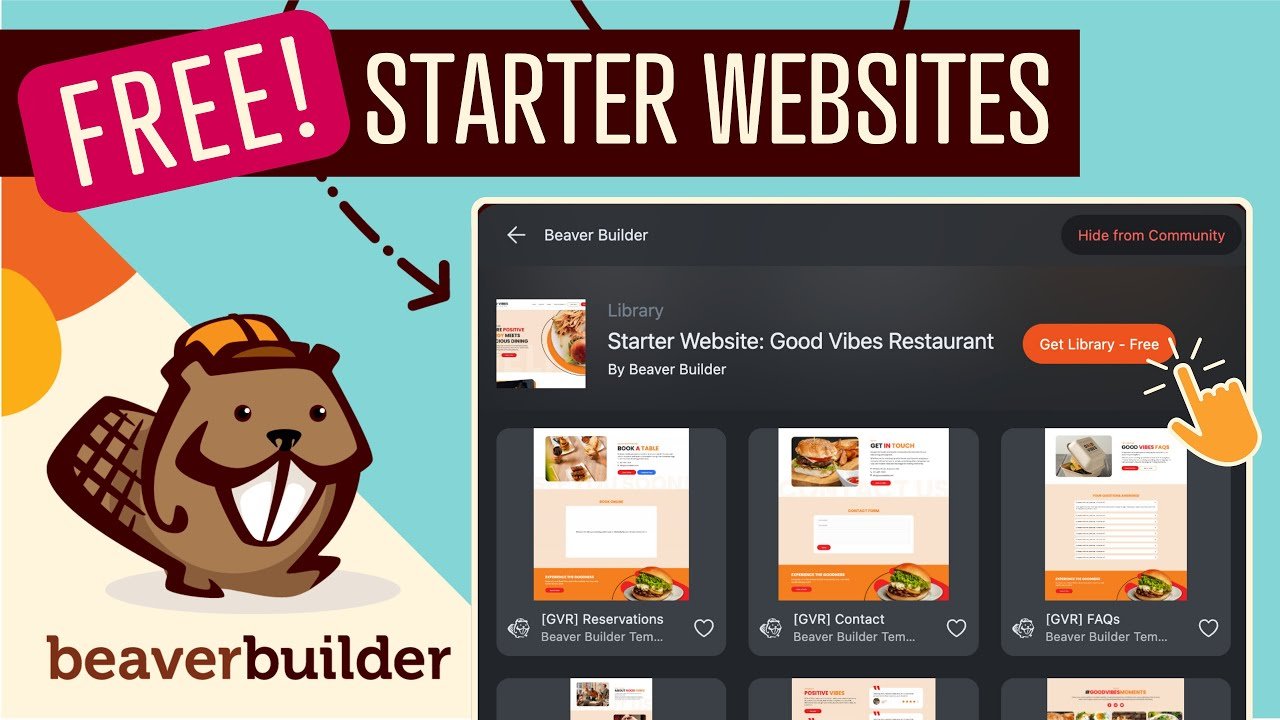
FREE Beaver Builder Starter Website Templates + BOX Module Site Examples by Beaver Builder (Jun 2024, about 7 minutes). Older. Uses the Assistant Pro marketplace; Assistant Pro cloud storage is Unlimited-only on the pricing page.
– 
Beaver Builder ACF Integration Guide for WordPress by the ACF blog (Sep 2025, written guide). Builds a team-members page with a Loop module. The repeater fields need ACF PRO, and the guide promotes ACF.
Webinars & Replays
Two recent live sessions come from Beaver Builder itself. The third is an older, independent WordCamp talk.
Box Module Training: Building Modern Card Layouts with Flexbox by Beaver Builder (live, Apr 2026, about 45 minutes). A live card-layout build with Q&A. Made by the vendor.
– 
LIVE Q&A: Web Accessibility Best Practices with Amber Hinds by Beaver Builder (Jan 2026, about 52 minutes). Made by the vendor. The guest shows her own product, Accessibility Checker.
– 
Cousett Hoover: Battle of the Builders on WordPress.tv (Jan 2021). Independent comparison talk. Old, so the interface and plans have changed.
Podcast Discussions
Three of these episodes feature Beaver Builder’s own co-founders, so they reflect the company’s view. The accessibility episode is the independent one.

#214: Robby McCullough on Beaver Builder, AI Hype, and Evolving WordPress Workflows on WP Tavern Jukebox (Apr 2026). Features a Beaver Builder co-founder.
– 
Listening Without Overbuilding: The Art of Handling Feature Requests on WP Product Talk (Oct 2025, 53 minutes). Features co-founders Robby McCullough and Justin Busa.
– 
Robby McCullough on Beaver Builder: Building Trust with WordPress on WP Legends (Jul 2025). Features a Beaver Builder co-founder.
– 
Which Page Builder is Best (or Worst) at Accessibility with Amber Hinds, episode 81 of Accessibility Craft (Aug 2024, about 1.5 hours). Independent; compares 10 builders, including Beaver Builder. Recorded before version 2.10.
In a nutshell
Our take: Beaver Builder makes the most sense for people who want a visual builder, a theme builder and a theme in one paid bundle. Every plan includes Beaver Themer and the Beaver Builder Theme, so even Starter can design headers, footers and post templates.
Pick your plan by counting live sites. Starter covers 1, Plus 3, Professional 50 and Unlimited has no limit. Staging sites don’t count.
If you want the built-in AI, you need Plus or above. It’s new, and its usage limits aren’t published yet. Jonathan Perez’s first look is upbeat, but he showed an early build and he notes generic copy and glitches.
Billing is yearly only. You get a 30-day refund window on your first purchase, and you can try the free Lite version or the live demo first.
Guide to Beaver Builder: Free Download (PDF)
A short beginner’s guide: which plan to pick, a getting-started checklist, the key features explained simply, and the resource library with links.
Rating
Beaver Builder research-based rating: 3.9/5 (★★★★☆, shown as 4 stars). This rating is research-based and not hands-on tested: a strong all-in-one bundle, held back by yearly-only billing, AI locked to Plus and up, and unpublished AI limits.
We scored each category from 1 to 5 using official information and the credited videos only. WpDesignerMag did not test Beaver Builder hands-on, and nobody tested its support, so Support is not rated.
| Category | Template weight | Score (1 to 5) | Evidence-based reason |
|---|---|---|---|
| Feature set | 40% | 4.0 | Builder, Themer, theme, loops, dynamic content, WooCommerce layouts and a new Popup Module on every plan; AI only on Plus and above. |
| Ease of use | 20% | 4.0 | Official front-end editing, live demo and course library; Jonathan Perez finds it easy to pick up. |
| Value | 20% | 3.5 | $89 to $546 per year with a 30-day refund and unlimited staging, but yearly-only billing and AI not on Starter. |
| Support | 20% | Not rated | Not tested; officially email support by ticket, priority on Unlimited, hours not published. |
How the weights were redistributed: Support’s 20% was removed, leaving 80% across the three rated categories. Each remaining weight was divided by 80%:
- Feature set: 40% ÷ 80% = 50%
- Ease of use: 20% ÷ 80% = 25%
- Value: 20% ÷ 80% = 25%
Weighted score: (4.0 × 0.50) + (4.0 × 0.25) + (3.5 × 0.25) = 2.0 + 1.0 + 0.875 = 3.875, rounded to 3.9 out of 5.
Ready to compare plans? Check the current plans and the final price at checkout before you buy.
Affiliate link. WpDesignerMag may earn a commission at no extra cost to you.
Frequently asked questions
Is Beaver Builder free?
There is a free version, Beaver Builder Lite, on WordPress.org. The paid plans cost $89 to $546 per year in USD, billed yearly, as checked on October 11, 2026.
Which Beaver Builder plan includes AI?
Beaver Builder AI is included with Plus, Professional and Unlimited. It is not included in Starter.
Is Beaver Themer included?
Yes. Beaver Builder says Beaver Themer is included in every paid plan at no extra cost. It does not work with the free Lite version.
Can I pay monthly?
No. Beaver Builder plans are billed yearly. They renew automatically at the standard yearly price unless you turn auto-renewal off.
Do staging sites count toward my site limit?
No. Beaver Builder says staging and development sites don’t count. Only live sites count toward your plan’s limit.
Is there a money-back guarantee?
Yes. Beaver Builder offers a 30-day money-back guarantee on your first purchase.
Source Notes
WpDesignerMag did not test Beaver Builder hands-on for this article. Sources, and which facts came from each (all fetched October 11, 2026, PT):
- Beaver Builder pricing page: https://www.wpbeaverbuilder.com/pricing/ (page modified September 15, 2026). Plans, prices, sites, per-plan features, the comparison table, yearly billing, renewal, upgrades, discounts, staging sites and the 30-day guarantee.
- Beaver Themer page: https://www.wpbeaverbuilder.com/beaver-themer/. Themer features, inclusion in every plan, no Lite support, theme compatibility.
- Beaver Builder Theme page: https://www.wpbeaverbuilder.com/wordpress-framework-theme/. Theme description and inclusion in every plan.
- Beaver Builder AI page: https://www.wpbeaverbuilder.com/beaver-builder-ai/. AI on Plus and above, the page’s “release candidate” wording, custom vs native modules, cost of full-page generation.
- Changelog: https://www.wpbeaverbuilder.com/change-logs/. Plugin 2.11.1.2, 2.11.1.1 security fixes, 2.11 “Kariba” features, Themer 1.6.1, Lite 2.11.0.6, Beaver Builder Theme 1.7.20 (Aug 19, 2026), and Beaver Builder AI 1.0.0, the “first stable release” (Sep 1, 2026), with 1.0.3 current (Oct 6, 2026).
- Terms and conditions: https://www.wpbeaverbuilder.com/terms-and-conditions/. Vendor company name, refund policy, ticket support with no phone support, what happens when a subscription lapses.
- Docs: https://docs.wpbeaverbuilder.com/beaver-builder/getting-started/system-requirements/ and https://docs.wpbeaverbuilder.com/beaver-builder/getting-started/install/. Requirements and install steps.
- WordPress.org Lite listing: https://wordpress.org/plugins/beaver-builder-lite-version/ (via the WordPress.org plugin API). Lite version, requirements, modules, premium feature list and forum support.

Featured video: “Don’t Sleep on @BeaverBuilderWP – Their New AI Feature Changes the Game” by Jonathan Perez (@JonPerez1322), published June 16, 2026.
Used for the creator’s narration and Jonathan’s paraphrased views. Times come from auto-captions and his chapters. Frames were not checked. No transcript text is reproduced. The creator’s own affiliate link is not used.
10. Runner-up video: “The Best WordPress Page Builders for Designers in 2026 (A Real Comparison)” by Megan Weeks, January 11, 2026, https://www.youtube.com/watch?v=zi3ZqxD9gVM. Used for the overall view only.
11. WpDesignerMag research files (internal, October 11, 2026): product record, video research and evidence pack, learning content research and podcast research. Used for resource selection, dates and bias notes.
Video-versus-official conflicts noted in this article: native vs custom modules, AI plan availability, release status, AI credits and bundling. In each case, the official information is used.